How to Format a Press Release for a Professional Email
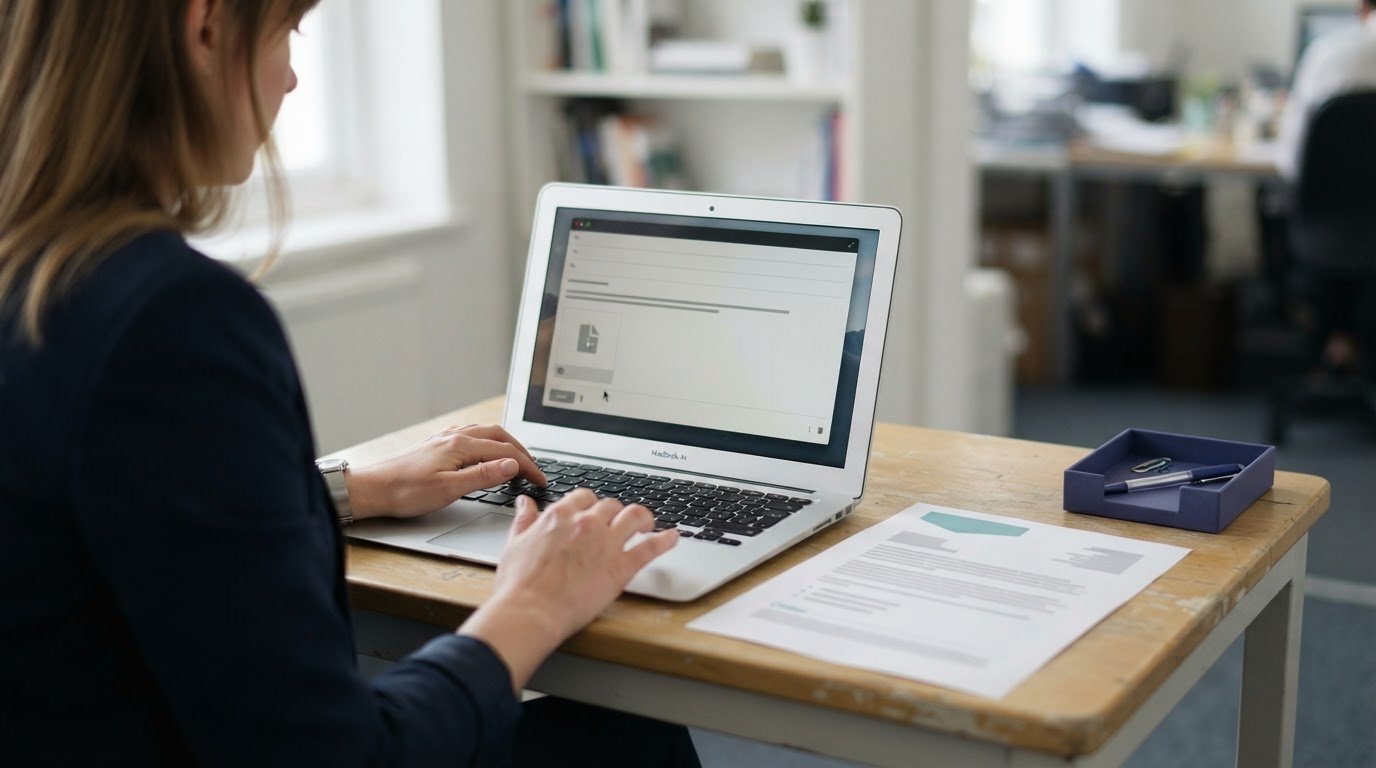
A press release should be concise, clearly structured and easy to open. Knowing how to format a press release for email means keeping the release to around one to two pages, writing a short subject line and brief message, and attaching the full release as a PDF. Lead with the key news, then provide branded contact details so journalists can follow up.
It’s easy to focus on the document and overlook the email, but both shape how clearly your news comes across. The email should identify the story and summarise who, what, where and when, rather than simply dropping an attachment into an inbox.
This guide explains how to structure the release, add contact details, review the content and introduce it in the email. It also covers choosing an attachment format and making the message easy to scan.
Key Takeaways
- Keep the release focused, put the key news near the top and use a clear structure that journalists can scan quickly.
- Use consistent branding and make it easy for recipients to identify the right person to contact.
- Review dates, quotes, links and any embargo details before sending to strengthen accuracy and clarity.
- Write a concise email summary and choose an attachment format that preserves the release’s layout.
Press release length and structure
Treat the release and email as separate but connected parts: the document carries the full story, while the message quickly explains its relevance.
- Aim for 400 to 600 words and keep the release to one or two pages, or no longer than two sides of A4 including pictures. Put the strongest information on the first page and as high as possible. This gives journalists the essential news before background detail, even if they only scan the opening.
-
Set out the press release structure
Arrange the release in a clear sequence: headline, dateline, opening paragraph, supporting detail, quote and closing information. A dateline can give the town or city, country and date, for example, “Glasgow, Scotland, 8 May, 2017”. Place the quote in the third paragraph, then add a separate call to action at the end, apart from the closing paragraph.
- Focus the main story on what happened, who is involved, where and when it is happening, and why it matters. Put supporting context after the key news instead of delaying the point with a long introduction. Use a Notes to Editors section for extra or technical details and a brief company synopsis, keeping background information separate from the story.
-
Shape the email for journalists
Address the email to the relevant editor by name; the Crafts Council recommends finding the editor’s name. Keep the introduction to one sentence, then summarise who, what, where and when. Write a short subject line that identifies the message as a press release and gives the project title and date. Put the news hook in its first five words.
A subject line of six to ten words is a useful target; remember that many email clients display only the first 50-60 characters. Keep the message concise, explain why the story suits that journalist’s coverage, and make the release easy to open and scan. A specific greeting and relevant summary help your press email feel directed, not generic.
Branded letterhead and contact details
Use consistent letterhead to connect the release with the organisation behind the announcement. Clear contact details help journalists follow up or ask for more information about a launch.
-
Add branded letterhead
Place the organisation’s name and logo at the top of the release, before the headline. Use the same brand colours and type styles as in your other communications, while keeping the headline easy to distinguish. A restrained layout keeps attention on the news rather than the decoration. Check that the logo is legible and the organisation’s name is consistent on every page.
- Keep the letterhead separate from the story. Leave enough space before the headline so each element has a clear role. For example, a product launch release should show the organisation’s identity first, then state the news in a direct headline. Avoid slogans or promotional claims that distract from the announcement or make the page harder to scan.
-
Provide contact information
Add a named contact’s full name, telephone number and email address in a clearly labelled press contact section. Journalists need these details to request an interview, confirm information or ask for more. Choose someone who can respond to media enquiries and speak about the announcement. Keep the contact block together instead of scattering details across the letterhead and final paragraph.
- Check each detail with the person handling enquiries before sending. Make sure the name is spelt correctly, the phone number is complete and the email address is active. A clear format is “Press contact: [name]”, followed by “Telephone: [number]” and “Email: [address]”. Replace every bracketed prompt with the correct details; never leave placeholders in the release.
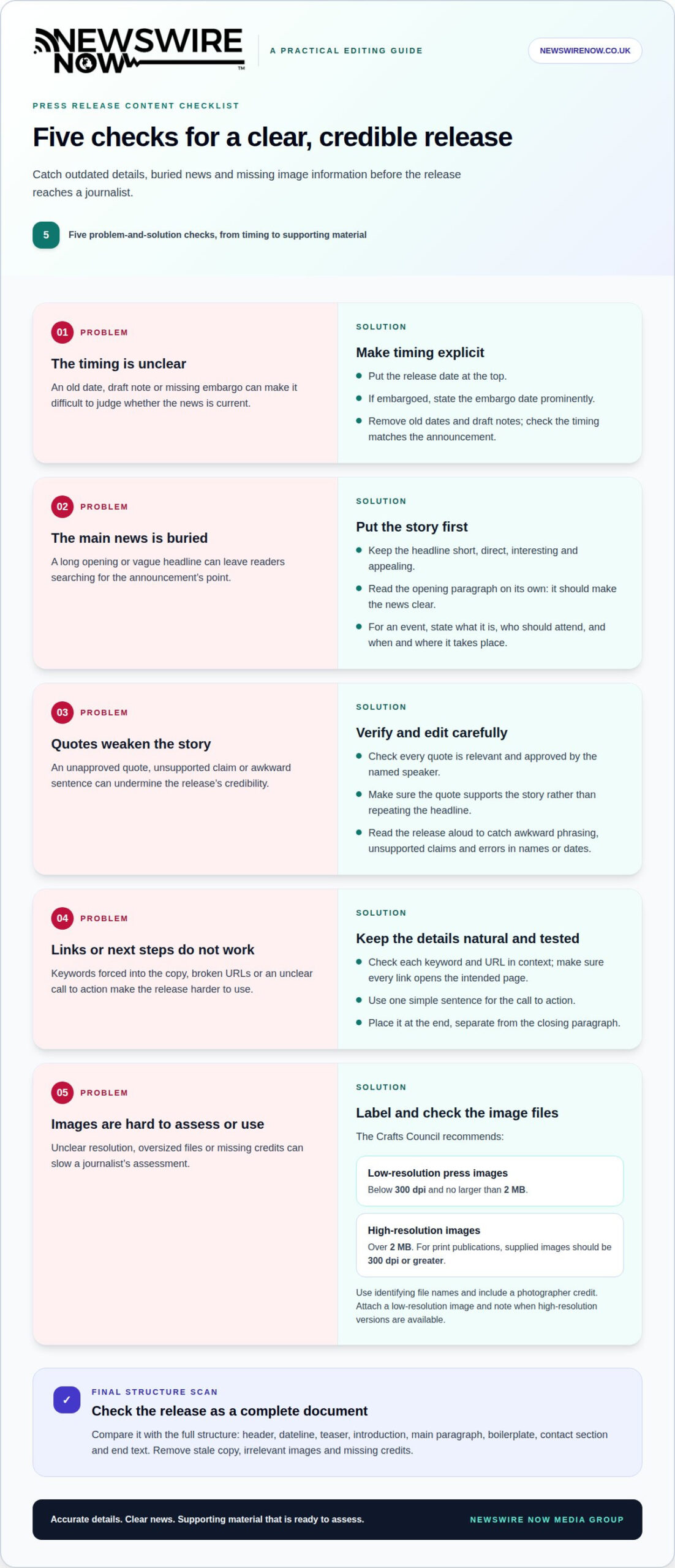
Press release content checklist
Don’t send an outdated, inaccurate or generic release. Check its date, claims, quotes, links and images, and confirm that every detail supports the announcement.
- Confirm the date and any embargo first. Put the release date at the top so journalists can judge whether the information is current. If the story is embargoed, state the embargo date prominently there too. Remove old dates and draft notes from the template, and make sure the timing matches the announcement.
- Make the headline short, direct, interesting and appealing. Read the opening paragraph on its own: it should make the news clear, not bury the point in background. For an event, include what it is, who should attend, and when and where it will take place. Keep the target audience and their reason to be interested in view.
- Check that every quote is relevant and approved. Confirm the named speaker has agreed to the wording, and make sure the quote supports the story rather than repeating the headline. Read the release aloud to catch awkward phrasing, unsupported claims and errors in names or dates. Careful editing protects the announcement’s credibility.
- Check each keyword and URL in context. Include them naturally, and make sure every link opens the intended page. Keep the call to action to one simple sentence that tells readers what to do next. Place it at the end, separate from the closing paragraph.
- Review the supporting material before attaching it. The Crafts Council recommends low-resolution press images below 300 dpi and no larger than 2 MB, while high-resolution images should be over 2 MB. For print publications, supplied images should have a resolution of 300 dpi or greater. Name files with useful identifying details and a photographer credit; the Crafts Council recommends including the artist, artwork title, medium, year and photographer.
Finally, compare the release with its complete structure: header, dateline, teaser, introduction, main paragraph, boilerplate, contact section and end text. The Crafts Council also recommends attaching a low-resolution image and noting when high-resolution versions are available. Avoid stale copy, irrelevant images and missing credits, which can slow a journalist’s assessment.
Including the press release in the email
Use the email to introduce the news, then make the complete release and supporting material easy to access.
-
Choose an email format for the release
Write a concise message with a short who, what, where and when summary, rather than pasting the entire release into the email. Attach the full document as a Word file or PDF. PDF works well when images are embedded because it preserves the layout across computers. Keep the email readable and name the attachment so it clearly identifies the announcement.
For influencers, send a concise summary of the news rather than the full release. This lets recipients assess whether the story is relevant before opening a document. Avoid sending several versions of the same copy, which can leave it unclear which is current.
-
Apply UK press release conventions
Use British spelling throughout, and place the release date clearly at the top. Write dates in a clear UK style, such as “8 May 2017”, so the publication timing is easy to understand. If the release is embargoed, state the embargo date prominently at the top; make sure the email message and attached document show consistent timing.
Make sure the date reflects when the news can be shared, not simply when the email is sent. Avoid mixing date formats or using unexplained abbreviations. A clear date and prominent embargo help UK journalists assess the release’s currency and publication timing.
-
Include images and media links
Attach a low-resolution image and note that high-resolution versions are available, as the Crafts Council recommends. Compress images and keep unsolicited press release emails with attached images under 3 MB. Avoid attaching the release or more than two or three images, since bulky attachments can trigger spam filters.
Use descriptive links in the message when supporting material is available online, and test that each one opens the intended item. Don’t make a media link the only way to access the story: keep the concise summary in the email and the complete release in its attachment.
For help preparing a media email around a newsworthy announcement, plan your press release email.
Newswire Now Media Group: Single Press Release Distribution
Newswire Now Media Group’s Single Press Release Distribution is a practical next step when your release is ready and you want it delivered to relevant media outlets. Releases are editorially reviewed before distribution to more than 500 trusted news outlets across 27 industry sectors and 37 professions.
The distribution service connects your announcement with a wider media network, including over 40 owned publications reaching millions of readers worldwide. A comprehensive pickup report is provided within 48 hours, giving you a record of media placements. Choose this route for a single announcement; use Multi-release Distribution Bundles when planning several releases. Email Marketing is another option when your communications plan includes email campaigns.
Contact Newswire Now Media Group to discuss Single Press Release Distribution for your announcement.
Plan the next step for your announcement
Make each release part of a wider communications plan. Decide what response would make the announcement useful, then align any follow-up material with that purpose. This gives your team a clear next step after the initial email, rather than treating distribution as the end of the process.
When planning how to format a press release for email, consider what happens after sending: who will handle questions, which supporting details are ready, and how later updates will stay consistent. If interest develops, a prepared response can keep the conversation focused and use the original announcement as its reference point.
For a single announcement or a planned series, choose the distribution approach that fits your communications priorities. Discuss your press release with Newswire Now Media Group and take the next step with confidence.
Frequently Asked Questions
What is the standard format for a press release sent by email?
Use a concise email to introduce the story, with the complete release attached as a separate document. Address the relevant journalist by name and make the message understandable without requiring them to open the attachment first. Briefly summarise the announcement and explain why it may interest their publication. Keep the email and release consistent, especially on dates and names.
What should the email subject line for a press release include?
Identify it as a press release and include the project title and date. Keep the wording focused on the news rather than a promotional claim. For example, “Press release: [project title], 8 May” gives a recipient the message type, subject and timing at a glance. Aim for six to ten words, with the news hook near the beginning so it remains visible in a mobile inbox.
Should a press release go in the email body or as an attachment?
For anyone learning how to format a press release for email, a useful rule is to put a short introduction and news summary in the body, then attach the full release. This gives journalists context before they open the document. A PDF works well when images are embedded because it preserves the layout across computers. A Word file is another option if recipients may need an editable document.
What are the recommended length and structure of a press release?
A standard release is usually 400 to 600 words and one to two pages. To understand how to format a press release for email, focus first on a clear sequence: lead with the essential news, then add supporting facts and context. Keep the opening focused on what has happened and why it matters; move extra technical detail into Notes to Editors, separate from the central story.
How should headlines, datelines, quotes and contact details be formatted?
Make the headline short, direct and relevant to the news. A dateline can identify the town or city, country and date; use a consistent UK date style throughout. Place a relevant, approved quote in the third paragraph. Finish with a clearly labelled press contact section containing the named person’s telephone number and email address, so journalists can follow up without searching the document.
Ready to get your story published?
Distribute your press release across 500+ trusted media outlets — with editorial review and a full pickup report within 48 hours.
Send Press Release →