
How to Create a Media Kit for a Press Release
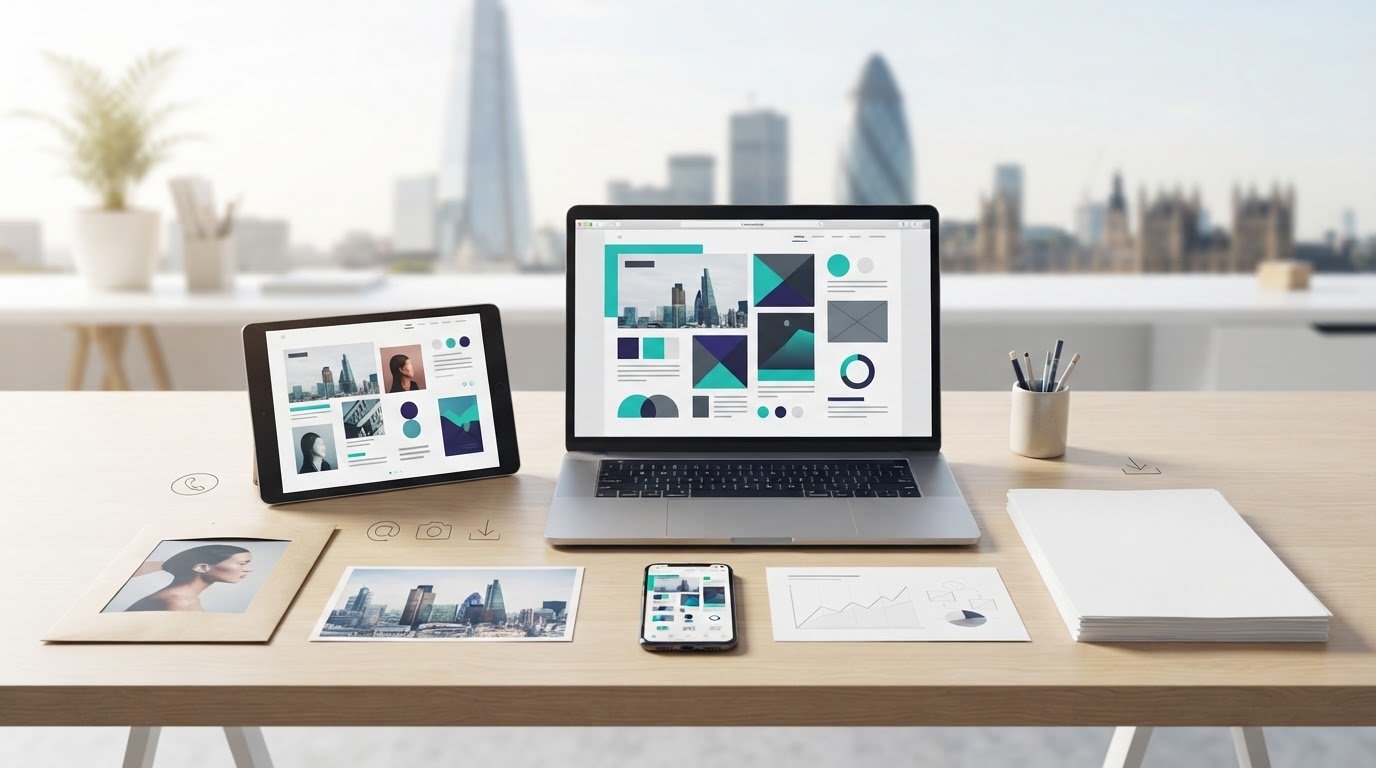
Creating a media kit for a press release means gathering the information journalists need to understand and report your announcement: the release, a concise organisation overview, key facts, relevant images, spokesperson details and a direct media contact. A press kit supports coverage of a specific announcement, while a media kit can provide broader background or support collaboration pitches.
The terms are often used interchangeably, so it’s easy to assemble a pack that contains plenty of material but misses what a reporter needs. This guide explains what to include, how to make press releases and media mentions useful parts of the kit, and how to keep information clear and current. It also explains how a press kit differs from a media kit, so you can shape your materials around the story and the people you want to reach.
Key Takeaways
- Make it easy for journalists to reach the right spokesperson with clear, current media contact details.
- Shape company and leadership profiles around the facts, milestones and expertise that help explain the story.
- Choose the kit’s contents based on its purpose: supporting coverage of a specific announcement or presenting broader brand information.
- Use relevant press releases and media coverage to give journalists useful context, and make supporting materials straightforward to access.
Media contact details
For copyright and privacy, use material you own or have permission to share, and get consent before publishing personal details or identifiable images. Add alt text to images and ensure text works with screen readers. A professional kit’s cost depends on its scope, including design, copy and photography, and is set after a quote request. PDF suits a fixed-layout document; supply high-resolution originals alongside smaller, web-ready copies. Choose a template that fits your organisation and announcement, then tailor the content.
- Name a responsible media contact. Give journalists one person’s name, job title or role, and direct email address. Include a direct phone number when appropriate. For example, identify the communications manager rather than listing a general department without a named contact.
- Make the route to a response clear. Provide contact information that takes a journalist directly to the person handling press enquiries. Keep the details current, and assign a replacement contact when responsibilities change. A working email address and relevant phone number help reporters follow up on a developing story.
- Link relevant social channels. Add clickable links to official profiles that offer useful background or updates, such as a company’s LinkedIn page. Check each link and confirm the profile represents the organisation. Social links should complement the media contact, not replace direct PR contact details.
- Show evidence with context. Select statistics that explain your organisation or audience, and label what each figure measures. Add testimonials only with permission and preserve their original meaning; five strong testimonials can provide a useful selection. Include the source or date context for figures where available, so journalists can assess their relevance.
- Prepare accessible, useful files. Offer a readable PDF for convenient sharing, plus editable or separate assets where they help journalists work. Label image files by subject and resolution, and provide captions or context for videos. Use descriptive file names, check that links open, and review the contact information whenever the kit changes.
Company overviews and executive biographies
Give journalists concise background to help them identify the organisation and understand its relevance. Organise the overview, leadership details and supporting documents so each item is easy to find.
-
Write the company overview and boilerplate
Draft a company boilerplate of around 150-200 words, covering its history, mission, products and services. Add the audience it serves and key milestones that help explain its work. Keep the wording factual and consistent with the company’s current position. A separate fact sheet can summarise the official name, founding date, leadership and achievements in a one-page document.
-
Prepare executive and team biographies
Include each relevant person’s name, title and career highlights. Explain their role in the organisation or announcement instead of listing credentials without context. Pair biographies with downloadable headshots in high- and low-resolution JPG or PNG formats. Use current, approved images and clear file names, such as “chief-executive-headshot-high-resolution”, so journalists can select the right asset.
- Add useful company and product backgrounders. Create a separate overview for a product or service that needs more explanation than the boilerplate allows. Include what it does, who it serves and what distinguishes it. Label each document clearly, and support complex information with a data sheet or infographics. Keep claims consistent across the backgrounder, website and press release.
- Check the full pack for consistency. Compare names, titles, dates, product descriptions and milestones across every document. For example, ensure a founder’s biography uses the same title as the company overview. Use templates for consistent formatting, but tailor each version to the announcement. Make images and documents easy to download, and remove outdated material before sharing the kit.
What is the difference between a media kit and a press kit?
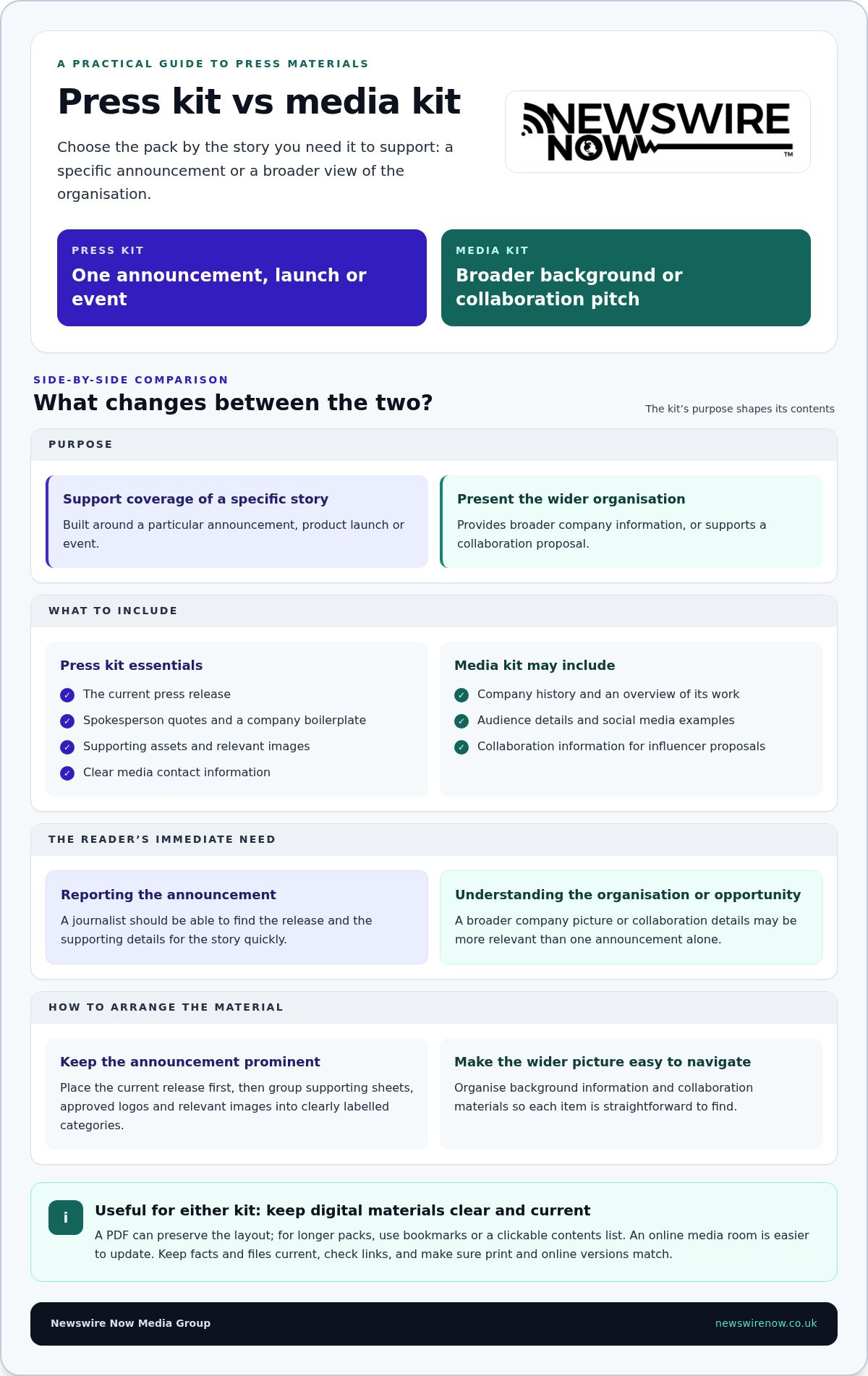
A press kit supports coverage of a specific announcement, product launch or event. A media kit can present broader company information or pitch collaborations. Give journalists a clearly organised digital version, such as a PDF linked from the release, and provide an online kit with current materials.
- Match the kit to its purpose. For a launch, assemble a press kit that helps journalists report the announcement accurately. Include the release, spokesperson quotes, a boilerplate, supporting assets and contact information. A media kit can give a wider view of the organisation, its history and its work, or support collaboration proposals to influencers.
- Separate announcement material from background. Keep the current release prominent, then organise supporting sheets, approved logos and relevant images into labelled categories. A journalist covering a product launch should find the product backgrounder quickly; an influencer considering a partnership may need audience details, social media examples and collaboration information.
- Choose a practical digital format. Provide a PDF when preserving layout matters, with bookmarks or a clickable contents list for longer packs. Host the digital version in an online media room and link to it from the press release. Clickable links, embedded videos and slideshows can add context without crowding the document.
- Keep print and online versions aligned. Printed kits can suit an in-person briefing, but online materials are easier to update. Check that each version has matching facts, working links and current files. Sort multiple releases chronologically so journalists can locate relevant announcements without searching through unrelated material.
- Remove barriers to interest. Avoid outdated company history, oversized attachments, unclear file names and promotional claims that don’t help explain the story. Keep the lead release and strongest supporting assets easy to find. For example, a broken video link or an old product sheet can undermine an otherwise useful press kit.
Press releases and media mentions
Press releases and coverage examples show journalists what your organisation says and how its stories appear publicly. Select them for relevance, not volume, and make the announcement’s supporting assets easy to find.
- Choose releases that add useful context. For a general online media kit, include three to five recent, newsworthy press releases. Select announcements that show your organisation’s mission, activity or expertise, rather than filling the section with routine updates. If the kit supports one specific release, other releases aren’t essential. Keep the current announcement prominent.
- Make each release easy to use. Provide a clean, readable version journalists can copy or download. Check that it clearly explains who is involved, what is happening, when and where it takes place, and why it matters. Add relevant background, such as a product sheet or spokesperson quote, in a clearly labelled section beside the release.
- Present media mentions accurately. Select coverage that demonstrates relevant reporting, and identify the publication, date and subject of each mention. Link to the original item where available; don’t imply that an article endorses your organisation. A concise caption can explain why the coverage matters without exaggerating its significance.
- Organise the archive for quick scanning. Sort multiple releases chronologically, with the newest first, and use clear titles that describe each announcement. Separate press releases from media mentions and background assets. This structure helps journalists distinguish your organisation’s own statements from independent coverage, reducing the risk of either being misread.
- Review and refresh the evidence. Replace superseded releases, correct broken links and remove assets that no longer match the organisation’s current position. Keep a record of which files support each announcement. A reporter reviewing a launch, for example, should find the relevant release, background and coverage without sorting through unrelated material.
Newswire Now Media Group: Single Press Release Distribution
When your release and media kit are ready, Newswire Now Media Group’s Single Press Release Distribution offers a practical next step. Editorial Review supports a final check of the release, while distribution puts it before relevant media outlets. Media Pickup Reporting then provides a record of reported pickups, helping you assess coverage and refine future announcements.
If you have several announcements planned, Multi-release Distribution Bundles offer an option for distributing multiple releases. Choose the approach that suits your communications schedule and prepared materials. The service supports distribution, not press release writing, so have your announcement ready to submit.
To discuss press release distribution, contact Newswire Now Media Group.
Put your media kit to work
A well-prepared kit is most useful when it supports a clear next step: helping the right journalist understand why an announcement matters. Before distribution, decide which audience should receive the release and which supporting material best substantiates its news value. This focus keeps the kit useful beyond launch day and gives your team a practical standard for creating a media kit for a press release that can be maintained as the story develops.
Newswire Now Media Group offers Single Press Release Distribution for a single announcement and Multi-release Distribution Bundles for planned campaigns. Editorial Review supports the preparation of submitted copy for distribution. Choose the approach that fits your announcement schedule and the work already completed, then keep the release and kit aligned as the story develops.
To take the next step, contact Newswire Now Media Group about your distribution needs. Your media kit can help set a clear direction for the coverage you’re seeking.
Frequently Asked Questions
What should a media kit include?
A media kit should give journalists enough verified material to assess and develop a story. Consider adding a short glossary for technical terms, a timeline to clarify key developments, and captions that explain each asset’s context. For example, label a product image with its model name and relevance to the launch, rather than leaving its subject open to interpretation.
What is a press kit?
A press kit is a collection of information and resources prepared to support media coverage, often for a specific announcement. For a product launch, reporters may need the release, approved product details and spokesperson context together. The label can vary between organisations, so make the kit’s purpose clear in its opening note and distinguish official statements from background material.
Are media kits still used?
Yes, organisations still use media kits to make reliable background information easier for journalists to access. A digital kit helps reporters find specific files quickly. For instance, organise materials by announcement, leadership or product, giving visitors a clear route without making them search through unrelated company pages.
How do you prepare a media kit?
When creating a media kit for a press release, start by defining the story and intended audience, then select material that supports it. Assign someone to check names, dates, statistics and document versions before publication. Test the kit on mobile and desktop, then ask someone unfamiliar with the announcement to find a key detail. Their experience can reveal confusing labels or missing context.
How often should I update my media kit?
Review your media kit quarterly, and update it sooner after a leadership change, product launch, rebrand or major announcement. Set a calendar reminder and record the review date in your internal version history. This helps your team spot outdated claims, expired campaign details and broken links before a journalist encounters them.
What are the benefits of a media kit?
Creating a media kit for a press release helps your team give journalists consistent, approved information and reduces repeated requests for basic details. It can also keep wording and assets aligned across announcements. For example, a new spokesperson can use the same approved biography and company description as the press office, supporting a coherent account across interviews and coverage.
Ready to get your story published?
Distribute your press release across 500+ trusted media outlets — with editorial review and a full pickup report within 48 hours.
Send Press Release →